
How to Find Pending & Completed Lab Results in TeamCMEVault.com
Pending Results
- Go to https://teamcmevault.com and login
- In the top left corner, click Occupational Health Screening
- Then select Pending results
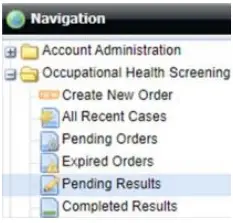
Contained within “Pending Results” includes:
- Lab testing status (Order Status)
- Results pending MRO review (MRO Status)
You can learn more about the status of a test by clicking the “+” button on the left. If a result has remained in the MRO status of “In Process” for more than two days, it’s likely because the MRO has not received the CCF2 or it is illegible.
Completed Results
- Go to https://teamcmevault.com and login
- In the top left corner, click Occupational Health Screening
- Then select Completed results
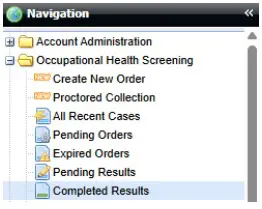
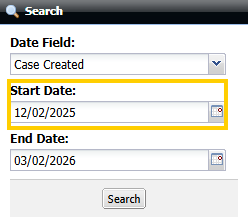
By default, this section displays only the last 90 days. Change the Start Date to search for older results.
To view a result:
- Highlight the row of the test you wish to view by clicking on the row
- Click the eye icon to view the result